Getting startedregistration
Follow the step-by-step registration process to create your account and set up personalized search engine filters on your preferred job platforms.
This video demonstrates how to sign up, verify your email, and configure filters for your preferred job platforms, ensuring you receive the most relevant job postings tailored to your criteria.
Getting startedextension
Learn how to install and use the Chrome extension, an integrated part of the application.
The extension enables automatic collection of job postings directly from supported job platforms, using the search engine filters you have configured.
This video guides you through the installation process and shows how the extension works seamlessly with your account to keep your job postings up to date.

Postings info
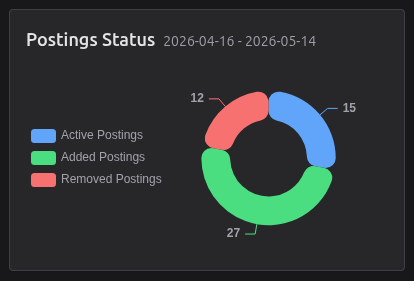
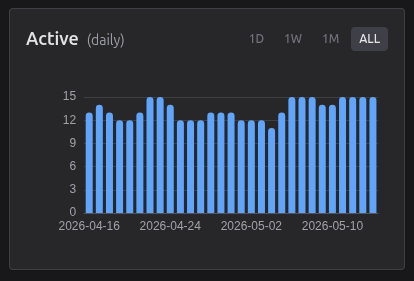
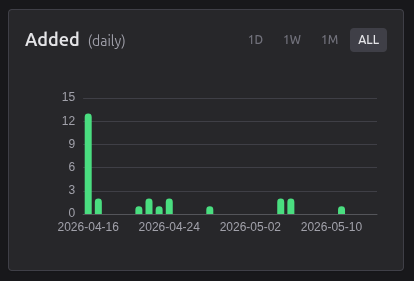
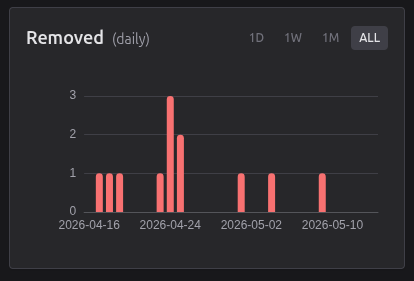
Status charts and metrics for fetched and tracked postings based on personalized search conditions.
Posting states include added, active, and removed offers.
Activity tracking covers ignored, applied, interviewed, hired, and rejected stages.
more insights will be added in the future ...

Employers info
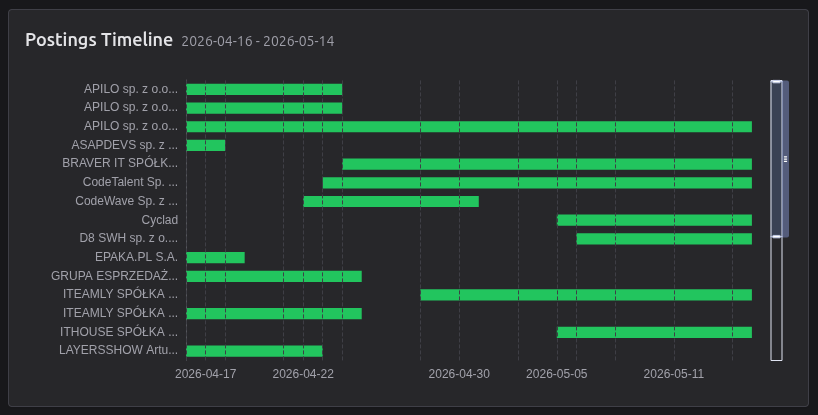
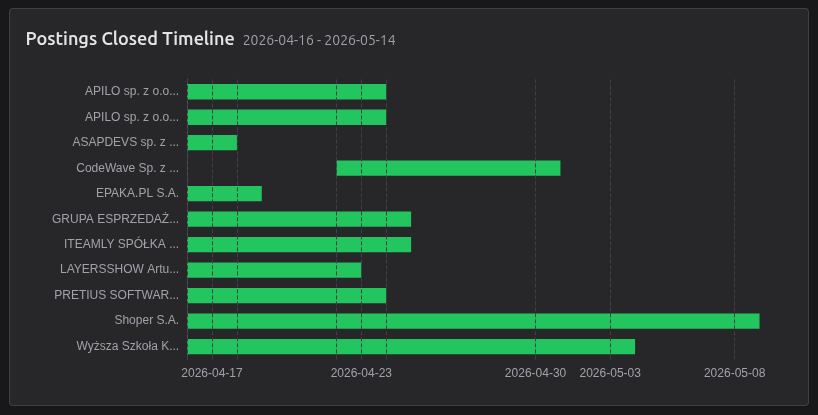
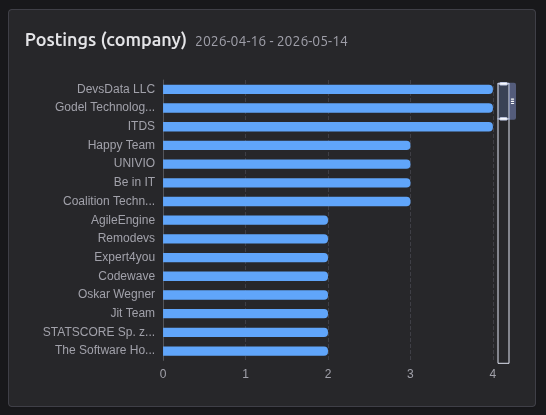
Employer charts and metrics summarize how companies appear across tracked postings over time.
Timeline views show posting flow, including published and closed offers in the selected period.
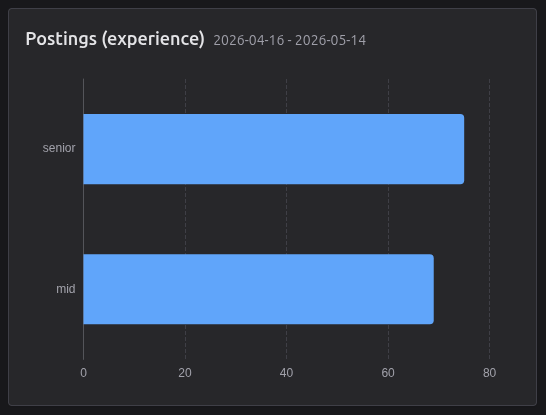
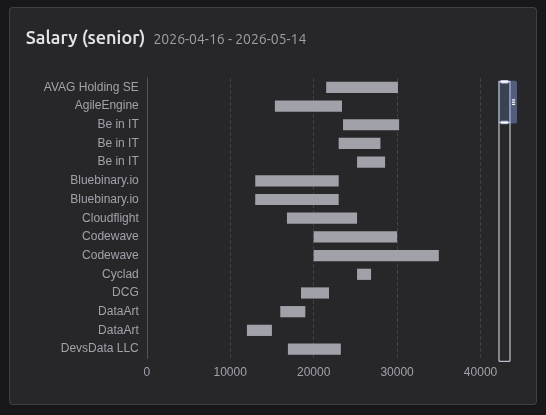
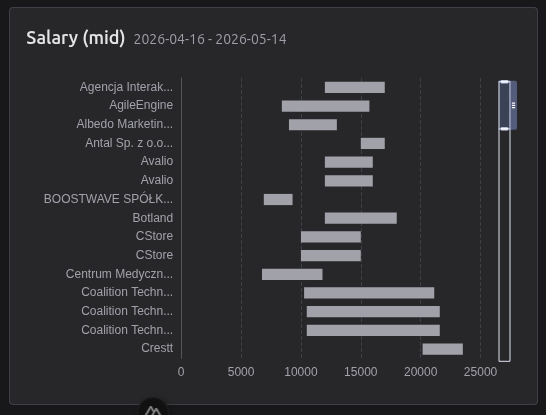
Additional breakdowns highlight top companies, required experience levels, and estimated salary ranges for senior and mid roles.
more employer insights can be added in the future ...

Technologies info
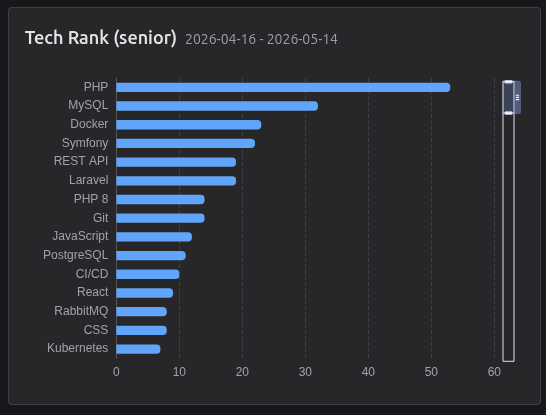
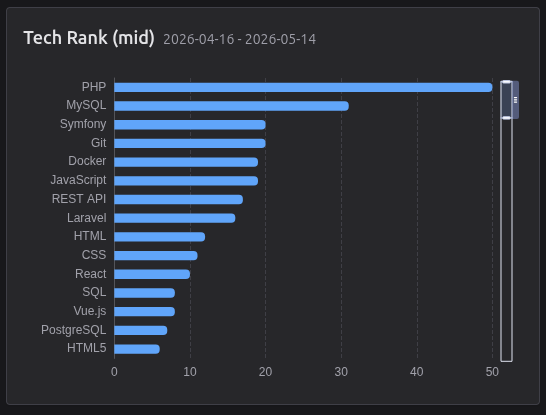
Technology charts and metrics present the most visible skills found in tracked postings.
Separate rankings for senior and mid levels make it easier to compare demand across experience groups.
The section helps identify which stacks, languages and tools appear most often in selected results.
more technology insights can be added in the future ...
Essential Cookies
We use exactly one essential cookie for authentication. By using our Service, you agree to our Cookie Policy and Terms .